


Face Swap Magic - Photo Editor
3.12.00 Reviews
App Specs
- Version
- 3.1.1
- Updated On
- License
- Free
- Downloads
- 100,000+
- Developer
- Photo & Video Editors - Instant Solution
- Categories
- Beauty
- Platform
- Android
Screenshots
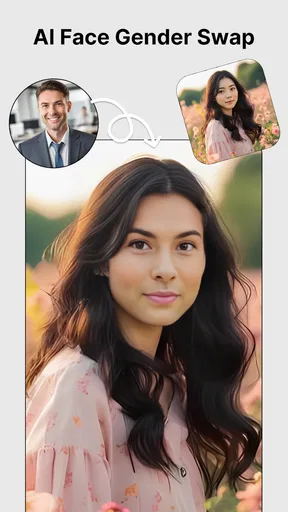
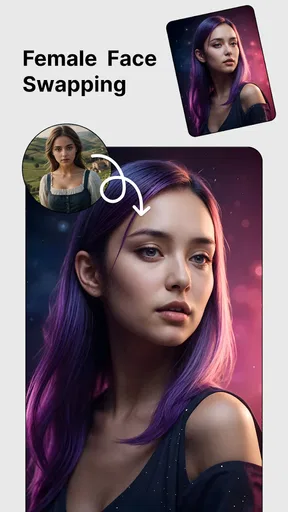
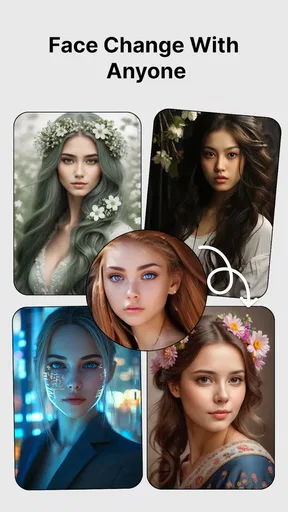

 Analysis by AppCompare
I see Face Swap Magic - Photo Editor as a playful photo-editing app with a clear purpose: turn ordinary portraits into quick, shareable jokes or creative experiments. Its appeal is immediate, and the face-swap idea is easy to understand even if you have never edited a photo before. I’d recommend it to someone who wants a casual bit of visual fun, not to someone looking for a dependable, all-purpose photo studio.
That distinction matters. Face swaps can look amusing without being convincing, and results depend heavily on the photos you choose. The app is at its best when you treat it as a light creative toy: try a few combinations, keep the result that makes you laugh, and don’t expect every image to pass as a polished portrait.
A quick way to test an idea
The simplest reason to try this app is that it lowers the effort between having an idea and seeing it as an image. You can start with a picture already on your phone or take one with the camera, then let the app detect the faces. That makes it useful for an impromptu group-chat gag, a silly birthday greeting, or a playful edit to show friends in person.
For example, if you’re waiting for friends at a café and someone sends a clear portrait, you could pair it with a suitable picture from your gallery and see whether the contrast makes a funny result. I’d keep the original photo handy and treat the swap as a draft: a face that is centered and unobstructed gives the app a better chance than one partly hidden by hair, glasses, or another person. A small amount of thought before selecting images often saves more time than repeatedly trying random pictures.
What makes a swap work
Lighting and pose are more than minor details here. A bright, forward-facing face gives the detection and blending process a cleaner starting point, while deep shadows, tilted heads, and busy scenes can make the result less convincing. If the first attempt looks odd, I’d change the source image before assuming the effect itself is unusable.
There is also a useful creative trade-off: the most realistic-looking pairing is not always the funniest one. Matching two similar angles can help a swap sit naturally, but deliberately contrasting expressions or faces can produce a more entertaining edit. I’d make one version with compatible poses and another with a more exaggerated contrast, then choose based on whether the goal is a believable composite or an obvious joke.
How it fits beside other photo apps
Compared with a standard photo editor, this app puts a specific transformation front and center rather than asking you to build an effect from layers or detailed adjustments. That makes it more approachable for a quick face-based experiment. The filters, stickers, text, and morphing tools also give you ways to finish an image without immediately switching to another editor.
Worth Reading Before You Choose

EA SPORTS FC Mobile 26 Is a Bigger Football Game, but It Takes Time

Flipboard Shows What News Apps Must Do Beyond the Feed

Switching to Android Auto Means Rethinking Your Driving Routine

Google Calendar Makes a Crowded Week Easier to Manage

Ludo King Makes the Most of the Minutes Between Plans

Baby Panda World Brings Quick Play to Modern Phones, but Its Game Library Feels Busy
The flip side is that a general-purpose editor is a better choice when you want careful retouching, precise control over selections, or a consistent look across a full set of photos. A dedicated face-swap app is also the more natural option if you want to explore that effect in depth rather than use it occasionally. I’d choose this one for low-effort play and a broader editor for work that needs exact adjustments or a more restrained finish.
Who will get the most out of it
This is a good fit for people who enjoy making informal memes, personalized greetings, or amusing edits for a private conversation. It can also suit a parent looking for a harmless creative activity to do together, provided an adult helps choose appropriate photos and keeps the activity respectful. The Everyone age rating makes the intended broad audience clear, but I’d still use common sense about what images are shared and with whom.
I would skip it if you need reliable results for a professional profile, a client project, or any image where natural facial detail matters. Face editing can also be unwelcome when it uses someone’s likeness without permission, even if the intention is a joke. I’d stick to pictures of myself or friends who are happy to participate, and avoid presenting an edited image as an untouched photograph.
Practical details before you try it
The app is free to install, with optional in-app purchases ranging from $0.99 to $99.99 per item. I’d explore the basic experience before paying for anything and check the purchase screen carefully so the cost matches what you actually want. The developer is Photo & Video Editors - Instant Solution, and the current version is 3.1.1.
It is listed in the Beauty category and has an average rating of 3.1 from 341 ratings, with 100K+ installs. Those figures suggest a real audience, though the rating is a reason to keep expectations measured rather than assume every result will impress. It is rated for Everyone and requires Android 8.0 or later. If you’re deciding whether it is worth trying, the strongest case is its focused, accessible approach; the main caution is that image quality and your tolerance for imperfect blends will shape the experience.
One practical question is what to do when a face is missed or the blend looks off. I’d first pick a less crowded image, crop away distracting background details if your normal gallery tools allow it, and favor a face that is well lit and turned toward the camera. That is a simple workflow, but it gives the detection step a clearer subject and avoids spending time on a photo that is difficult from the start.
Getting Started with Face Swap Magic
First things first, downloading the app is a breeze. Available for both Android and iOS, just hop onto your app store, search for Face Swap Magic - Photo Editor, and hit download. It’s lightweight, so it won’t hog your phone’s memory, which is always a plus.
Once installed, you’re met with a sleek interface that's as inviting as a cozy coffee shop. Navigating through the app is intuitive; it feels like chatting with a friend who just gets you. The design is simple yet effective, ensuring even the least tech-savvy among us can use it without breaking a sweat.
The Magic of Face Swapping
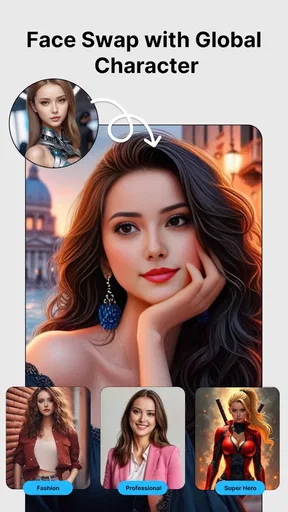
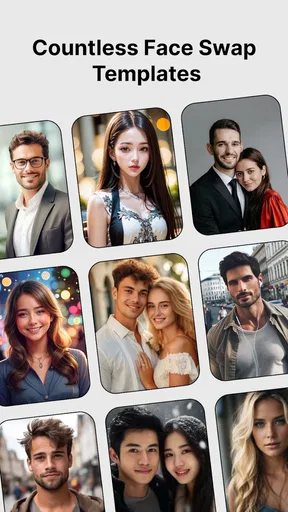
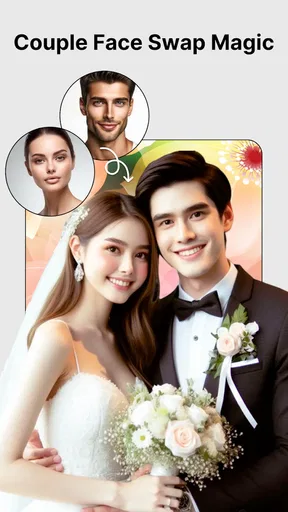
So, how does it work? Essentially, you choose a photo from your gallery or snap a new one with the built-in camera feature. The app then works its magic by identifying faces in the image. With just a few taps, you can swap faces not just with another person in the photo but also with a host of pre-loaded celebrity faces. Fancy being a Hollywood star for a day? No problem!
What really sets Face Swap Magic apart is its seamless blending technology. The face swap looks surprisingly natural, which is a testament to the app's sophisticated algorithms. Say goodbye to awkward mismatched skin tones or weirdly aligned facial features. It’s like having a professional photo editor in your pocket.
Features That Make You Go Wow
While the face swap feature is the main attraction, the app is packed with additional tools that add a splash of creativity to your photos. You can play around with filters to give your photos a vintage or modern vibe, add fun stickers, or even text to personalize your images further.
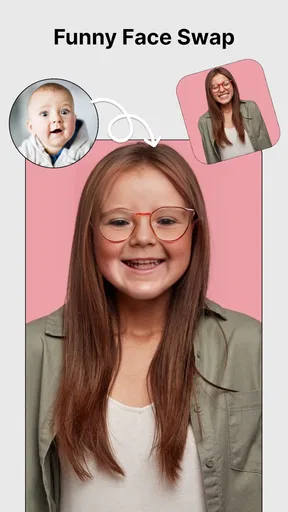
One of the standout features is the face morphing tool. This allows you to blend two faces together instead of a straight swap, creating a hybrid that is both hilarious and fascinating. It’s perfect for sharing a laugh with friends or spicing up your social media feed.
Keeping It Real: Limitations and Tips
While Face Swap Magic is a fantastic app, it isn't without its quirks. Occasionally, the face detection might struggle with images that are too dark or overly complex. To get the best results, ensure your photos are well-lit and faces are clearly visible.
A quick tip: If you're planning to swap faces with a celebrity, make sure to choose a photo where they’re facing forward. This ensures the best alignment and a more convincing swap.
Final Thoughts
All in all, Face Swap Magic - Photo Editor is a fun and innovative app that brings a touch of whimsy to your everyday photos. Whether you’re aiming to amuse your friends or just pass the time with some light-hearted fun, this app is worth the download.
With its user-friendly interface and impressive face swap technology, it offers a delightful experience that will keep you coming back for more. So, why not give it a spin? Who knows, you might discover a new side of yourself—or someone else!
Pros
- Easy-to-use interface for beginners.
- Real-time face swap feature available.
- Wide variety of filters and effects.
- Supports high-resolution output images.
- Frequent updates with new features.
Cons
- Limited free version features.
- Occasional app crashes reported.
- Ads can be intrusive at times.
- Requires a stable internet connection.
- Some features require in-app purchases.
FAQs for Face Swap Magic - Photo Editor
What is Face Swap Magic - Photo Editor and how does it work?
Face Swap Magic - Photo Editor is an app designed to let users swap faces in photos with ease. Utilizing advanced AI technology, the app automatically detects facial features, allowing users to seamlessly blend faces from different images. Simply upload the photos you want to edit, and the app takes care of the rest, offering a fun and engaging experience.
Is Face Swap Magic - Photo Editor safe to use?
Yes, Face Swap Magic - Photo Editor is safe to use. The app ensures user privacy by not storing any photos on its servers. All processing is done locally on your device. However, as with any app, it's essential to review user permissions and privacy settings to ensure your data is protected.
What features does Face Swap Magic - Photo Editor offer?
Face Swap Magic provides a range of features including automatic face detection, seamless blending, multiple face swapping in one photo, and easy sharing options. It also includes basic photo editing tools for enhancing images, such as filters and stickers, making it a versatile tool for both casual and creative users.
Can I use Face Swap Magic - Photo Editor on both Android and iOS devices?
Yes, Face Swap Magic - Photo Editor is available for both Android and iOS devices. You can download the app from the Google Play Store for Android devices and the Apple App Store for iOS devices, ensuring a wide range of compatibility across different smartphones and tablets.
Are there any in-app purchases or subscriptions required?
Face Swap Magic - Photo Editor offers a free version with basic features. However, for additional functionalities and an ad-free experience, users can opt for in-app purchases or a subscription. These premium options unlock advanced editing tools and exclusive content, enhancing the overall user experience.


